
You can keep track of the suppliers and the goods supplied/purchased using vendor master.
Follow the mentioned steps to add vendor details.
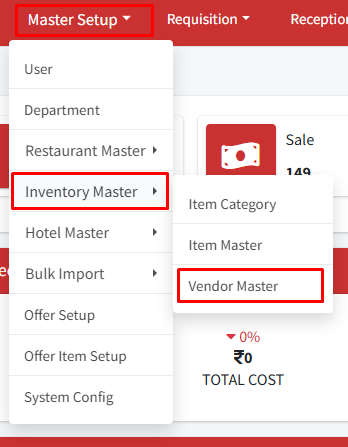
Step 1: Go to Master Setup > Inventory Master > Vendor Master.
Step 2: Click on ‘+Create Vendor’.
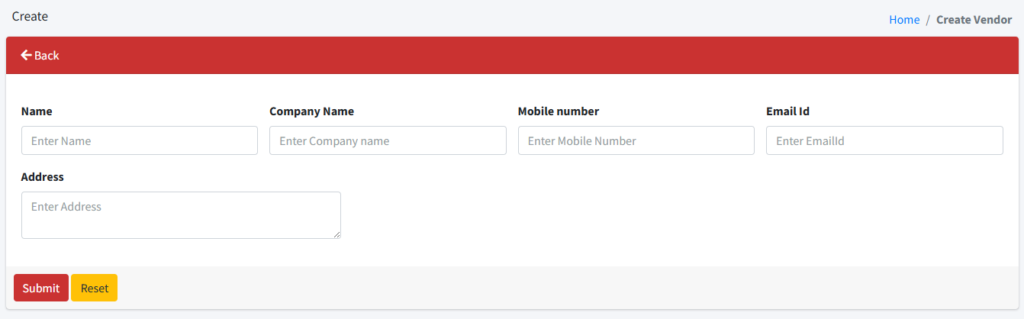
Step 3: On the create page, enter Name (supplier name), Company Name, Mobile Number (contact number of supplier/company), Email ID ( Email ID of supplier/ company), and Address (company address). Then click on submit to save the vendor information.
Vendor details will now be displayed on the screen. Use the edit or delete button to modify or remove any vendor details.
Need help?
Have you any question which is not answered in this knowledge base? Contact us. We are here to help you.