
The section master defines the restaurant’s sitting areas (e.g., rooftop, garden, 1st floor, 2nd floor, etc.).
Follow the mentioned steps to create sections.
Step 1: Go to Master Setup > Restaurant Master > Section Master.
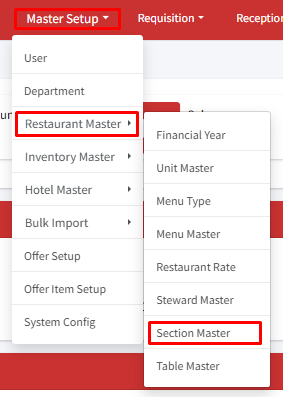
Step 2: Click on ‘+Add Section’.
Step 3: On the Create page, enter the name of the section, for example, Garden, and click on submit.
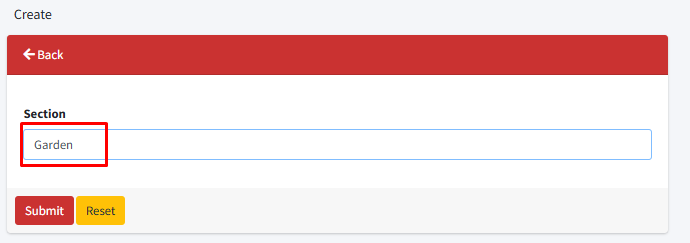
The section has been successfully created. You can now use the edit button to make changes to the section or the delete button to remove it if necessary.
Note: A section can only be removed if there are no table entries associated with that specific section within the table master.
Need help?
Have you any question which is not answered in this knowledge base? Contact us. We are here to help you.