
In restaurant/hotel inventory management, an item category is a broad grouping of similar inventory items. These categories help organize and track different types of stock efficiently.
Follow the mentioned steps to add an item category.
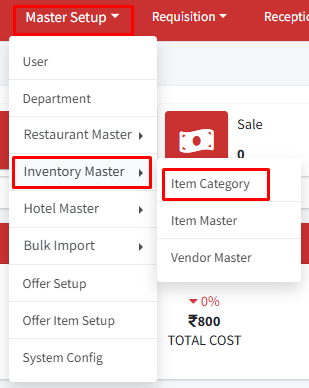
Step 1: Go to Master Setup > Inventory Master > Item Category.
Step 2: Click on ‘+Create Item Category’  .
.
Step 3: Enter the name of your item category and click on the submit button.
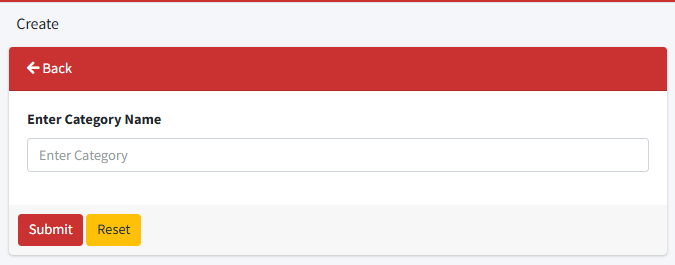
An item category has been successfully created. All the item categories created can now be visible in the table. Use the edit or delete button to modify or remove an item category.
Need help?
Have you any question which is not answered in this knowledge base? Contact us. We are here to help you.